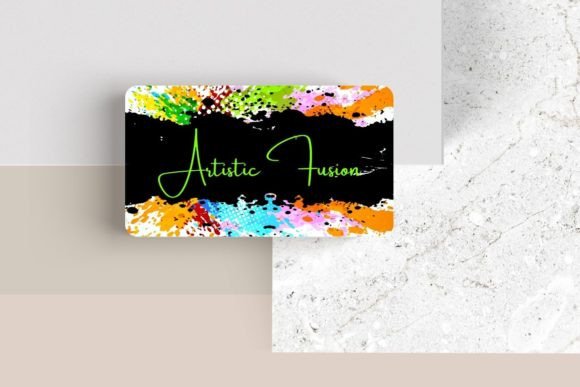
Editable Canva Business Card #33: Your Brand's First Impression
That moment when you hand someone your business card and their eyebrows lift slightly—not out of obligation, but genuine interest. That reaction is worth more than any marketing budget. The Editable Canva Business Card #33 was designed specifically to create that moment. It's not just a template; it's a strategic starting point for anyone who understands that a physical card still carries weight in a digital-first world. This sleek, modern design gives you complete creative control while maintaining the professional polish that makes people keep your card instead of tossing it in a drawer.
Why a Template That's Actually Editable Changes Everything
We've all seen "editable" templates that only let you swap out the name and phone number. The Editable Canva Business Card #33 is different. You can adjust every font, change every color, resize elements, move things around, and even add your own photography or logo artwork directly into the design. This level of customization means you're not stuck with someone else's aesthetic decisions. You're building on a proven layout while making it unmistakably yours.
Think about the last business card you received that made you pause. Chances are, it had thoughtful typography, balanced white space, and a visual hierarchy that guided your eye naturally from the name to the contact details. That's exactly what this template provides as your foundation. The standard 3.5" x 2" dimensions ensure it fits every cardholder, wallet slot, and networking event tray without awkward trimming or special printing requirements.
Typography as Your Silent Brand Ambassador
Fonts do heavy lifting in brand communication, and most people underestimate their power until they've made a costly mistake. A playful script font might work beautifully for a wedding photographer but completely undermine a financial consultant's credibility. The Editable Canva Business Card #33 lets you experiment with different typefaces until you find the one that speaks your brand's language fluently.
When selecting fonts for your card, consider these practical guidelines:
- Serif fonts communicate tradition, reliability, and authority—think law firms, publishing houses, or luxury brands.
- Sans serif fonts feel contemporary, clean, and approachable—perfect for tech startups, creative agencies, and modern service providers.
- Script or handwritten fonts add personality and warmth but should be used sparingly and at sizes that remain legible.
- Display fonts make bold statements but rarely work for body text—reserve them for your name or tagline.
The beauty of this Canva template is that you can test font pairings in real time. Try a bold sans serif for your name paired with a lighter weight for your title and contact information. Experiment with letter spacing. Adjust the size until the hierarchy feels intuitive rather than forced. These small typographic decisions compound into a cohesive brand identity that extends far beyond a single card.
From Business Card to Complete Brand Ecosystem
A well-designed business card doesn't exist in isolation. It's the physical anchor point for your entire visual identity. The color palette you choose for Editable Canva Business Card #33 should echo across your website headers, social media graphics, email signatures, and packaging design. When someone sees your Instagram post and then receives your card at a networking event, the visual connection should feel seamless and intentional.
This consistency builds brand recognition faster than any advertising campaign. Research shows that people need between five and seven impressions before remembering a brand. Every touchpoint matters, and your business card is often the first physical artifact of that relationship. Use the template's layout structure to establish your brand's visual rules—then apply those same rules to every piece of marketing material you create.
Consider how your card design translates to other formats. The logo placement, color choices, and typographic style you establish here can inform your letterhead design, invoice templates, social media post graphics, product packaging, event invitations, and even merchandise. Starting with a strong, editable foundation means you're not redesigning from scratch every time you need a new asset. You're extending a consistent visual language across every platform where your audience encounters your brand.
Practical Customization That Actually Works
Let's talk about what real customization looks like with this template. Beyond changing fonts and colors, you can reposition every element on the card. If your logo works better on the left instead of the center, move it. If you need to include a QR code linking to your portfolio, add it. Want to incorporate a subtle background texture or a small product photo? The template accommodates additional visual elements without feeling cluttered.
Here are some practical tips for getting the most from your editable business card design:
- Test readability at actual size. What looks elegant on a 27-inch monitor might become illegible when printed at 3.5" x 2". Print a test copy before committing to a full print run.
- Leave breathing room. Resist the urge to fill every square millimeter. White space isn't wasted space—it's what makes your key information digestible.
- Choose colors with purpose. High contrast between text and background ensures readability. Dark text on light backgrounds remains the safest choice for contact information.
- Include only essential details. Your name, title, primary phone number, email, and website usually suffice. Social media handles belong on the back if you have a double-sided design.
- Consider your printing method. Some finishes and paper stocks reproduce fine lines and light colors better than others. Design with your printer's capabilities in mind.
Making It Work for Your Specific Industry
A freelance graphic designer might use this template to showcase a bold, experimental aesthetic that demonstrates creative confidence. A real estate agent would approach the same template with clean lines, professional photography, and trust-building color choices. A food blogger could incorporate warm tones and appetizing imagery. The template adapts to your industry because it's designed to be a vessel for your brand personality, not a prescription for how you should look.
This flexibility makes Editable Canva Business Card #33 particularly valuable for entrepreneurs who wear multiple hats. You might be a photographer who also teaches workshops, or a consultant who launches side projects regularly. Rather than ordering expensive reprints every time your focus shifts, you can update the digital template in Canva and print fresh batches as needed. The commercial licensing that comes with premium design assets like this means you can use your customized version for business purposes without legal concerns—always verify the specific license terms before finalizing your design for commercial distribution.
The Networking Advantage You're Probably Missing
In a world saturated with digital noise, a thoughtfully designed physical card creates a tactile moment that emails and LinkedIn requests simply cannot replicate. When you hand someone a card that feels intentional—where the typography is confident, the layout is balanced, and the design reflects genuine care—you're communicating something about how you approach your work. That impression often matters more than the contact information printed on it.
The Editable Canva Business Card #33 gives you the design infrastructure to make that impression consistently. Whether you're attending your first craft fair, pitching investors, meeting potential collaborators at a conference, or simply being prepared when opportunity appears unexpectedly, having a professional card ready signals that you take your work seriously. And with complete editing freedom in Canva, your card evolves alongside your brand—never static, always representing who you are right now.