Editable Canva Business Card #41: The Modern Networking Tool
In a world where first impressions are often digital, a tangible business card still holds immense power. It’s a physical handshake, a piece of your brand that someone can hold, feel, and remember. But let's be honest—many business cards are forgettable. They blend into a stack, lost in a sea of generic layouts and uninspired fonts. What if your card could be different? What if it could be a true extension of your brand's personality, crafted with the same care as your logo or website? That's the promise of a thoughtfully designed, fully editable template.
More Than Just a Template: A Design System for Your Brand
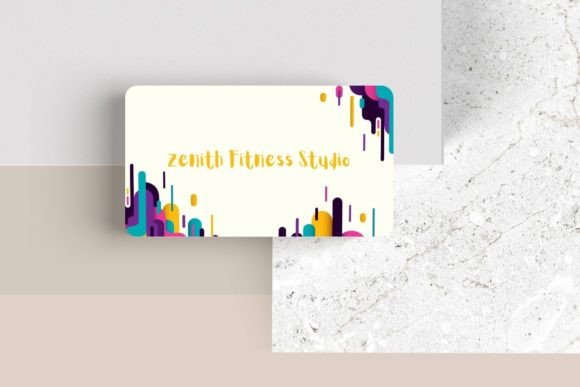
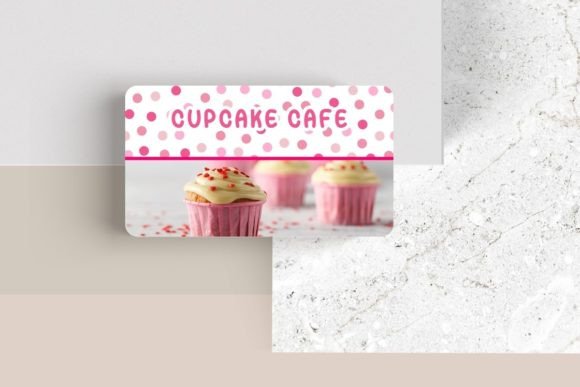
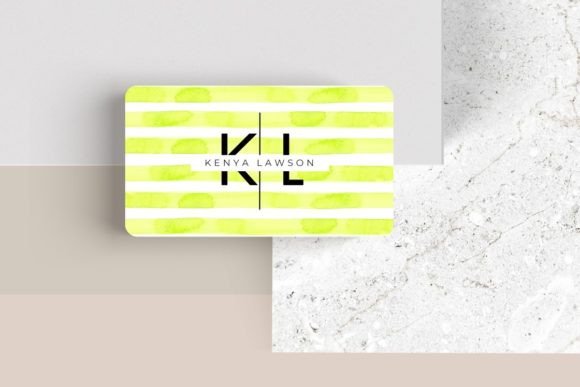
Editable Canva Business Card #41 isn't just a static file; it's a starting point for building a cohesive visual identity. At its core is a modern, clean layout that prioritizes clarity and impact. The design uses smart use of space, allowing your information to breathe while maintaining a professional density. The real value, however, lies in its complete customizability. This isn't about slapping your name on a pre-made design. It's about adapting a strong foundation to fit your unique brand voice.
Consider the practical applications beyond the card itself. The design principles within this template—balanced composition, thoughtful hierarchy, and modern typography—can be extrapolated to other brand touchpoints. The way the logo placement works, the style of the contact information block, and the overall aesthetic can inform your social media graphics, the header of your website, or even the layout of a packaging insert. You’re not just getting a business card; you’re getting a mini style guide for your personal or business branding.
Typography as Your Brand's Voice
One of the most powerful features of this editable template is the control over typography. Fonts are the tone of your brand's voice. A bold, geometric sans-serif font projects confidence and modernity. An elegant serif suggests tradition and reliability. A flowing script adds a personal, handwritten touch. With Editable Canva Business Card #41, you can experiment with different font pairings to find the combination that speaks directly to your audience.
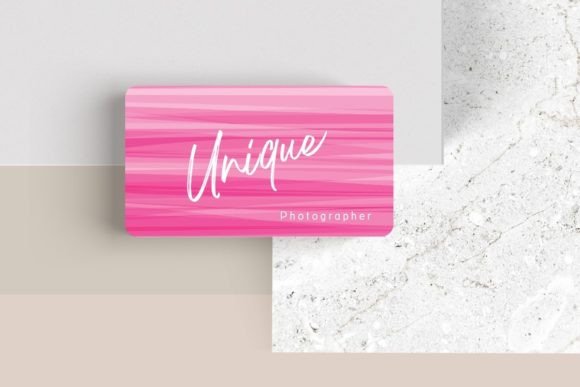
For instance, a freelance photographer might pair a clean, minimalist sans-serif for their name with a delicate script for their title, creating a balance of professionalism and artistry. A tech startup founder might choose a single, strong display font for maximum impact. The key is to choose a typeface that aligns with your project goals. Is readability on small print your top priority? Opt for a simple, well-spaced sans serif font. Want to convey luxury? A high-contrast serif font could be the answer. Testing these pairings directly within Canva allows you to see the real-world application instantly.
From Digital File to Tangible Marketing Asset
The journey of this business card design from a digital template to a physical object is straightforward, but the strategic thinking behind it is what makes it effective. Once you’ve customized the colors, fonts, and logo, the file is ready for professional printing. But its utility doesn't end there. The same design can be adapted for a variety of print materials. Think of appointment cards for consultants, loyalty cards for a boutique shop, or thank-you notes for an e-commerce brand. The consistent use of the design language reinforces brand recognition with every interaction.
In the digital realm, the card's design elements are equally valuable. A crop of the card's logo and name section can become a perfect profile picture for social media. The color palette and font choices should directly inform your Instagram posts, Pinterest pins, and LinkedIn banners. This creates visual consistency across all platforms, making your brand instantly recognizable whether someone is holding your card or scrolling through their feed. It’s about building a unified world for your brand to live in.
Practical Customization for Real-World Results
Let's break down the practical steps to make this template your own. The process is designed for efficiency, even if you're not a seasoned graphic designer.
- Start with Your Brand Assets: Upload your logo first. This is the anchor of your design. Then, use the eyedropper tool to pull colors directly from your logo to ensure a perfect match for the text and background elements.
- Prioritize Information Hierarchy: Your name or business name should be the most prominent element. Your title and primary contact method (like email or phone) should be next. Secondary info, like a website or social handle, can be slightly smaller. The template's structure helps guide this, but you can move elements to emphasize what matters most to you.
- Choose Fonts with Purpose: Don’t just pick what looks trendy. Consider your industry. A creative font might work for an artist, but a financial consultant would benefit from a more traditional sans serif. Use one font family for headings and another for body text to create contrast without chaos.
- Embrace White Space: Resist the urge to fill every corner. The breathing room in the design is what makes it feel modern and professional. A cluttered card is hard to read and looks amateurish.
- Test Before You Print: Print a test copy on your home printer. Check the size of the text—is it legible? Ensure the colors look as expected. This simple step can save you from a costly reprinting mistake.
Ultimately, a tool like Editable Canva Business Card #41 empowers you to take control of your brand's narrative. It provides a professional framework that saves time and eliminates guesswork, while giving you the creative freedom to inject your personality into every detail. In the competitive landscape of freelancing, entrepreneurship, and small business, that combination of professionalism and personal touch is what makes someone not just remember your card, but reach out to connect.